Introduction
Stacklane is an open-source control panel for hosting companies. Your customers sign in to one portal to manage their cloud servers, web hosting, game servers, domains, DNS, invoices, support tickets, team and API access. Your staff run the business from a back office in the same app.
It's meant for hosting companies that sell under their own brand and want to run the whole platform themselves.
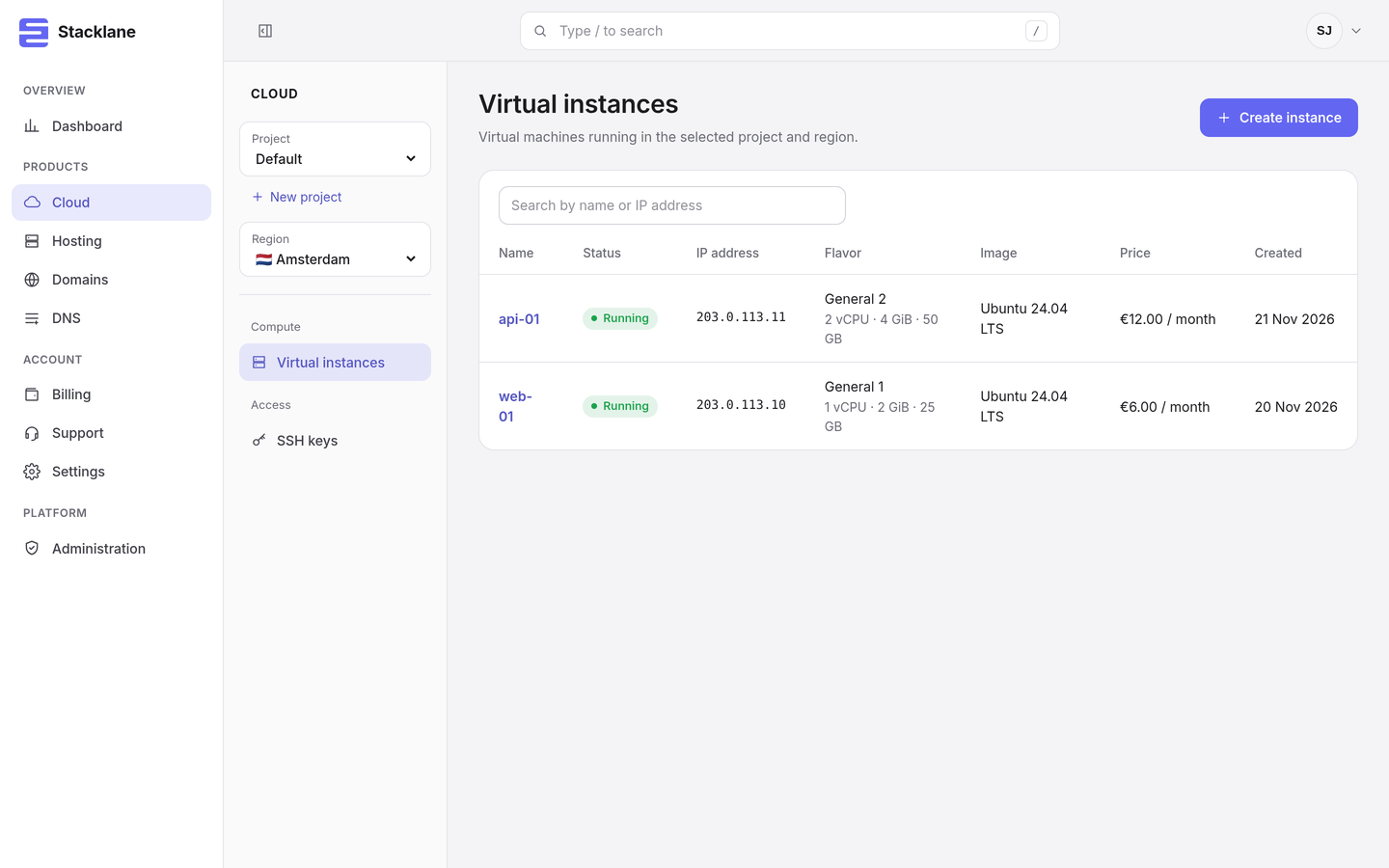
Try the demo#
A public demo runs at demo.stacklane.io. Sign in with sam@example.com and the password stacklane demo 2026, or click Fill in the demo account on the sign-in page.
The demo runs in simulate mode: no real servers are created and no payments or emails are sent. The demo account is also a platform owner, so you can open the back office. All changes are reset every night at 04:00 UTC.
Main features#
| Area | What Stacklane does |
|---|---|
| Cloud | Cloud servers on Proxmox VE. Regions backed by Proxmox clusters, flavors, images, IPv4 pools, projects and SSH keys. Power actions, per-instance firewall rules on the hypervisor, snapshots with restore, extra volumes billed per GB, and traffic, CPU and disk graphs. |
| Hosting | Web hosting on cPanel/WHM and DirectAdmin, game servers on Pterodactyl. Accounts are created, suspended and terminated automatically. Customers sign in to their control panel with one click. |
| Domains | Availability search with prices per extension. Registration through Openprovider or a manual workflow. Nameserver management and automatic renewal from the customer's credit balance. |
| DNS | DNS zones on PowerDNS with A, AAAA, CNAME, MX, TXT, SRV, CAA and NS records. |
| Billing | Hourly usage metering and monthly invoices with sequential numbers. EU VAT rules (domestic rate, reverse charge, One-Stop Shop, export). Prepaid credit and invoice payments through Mollie, Stripe, PayPal and bank transfer. Payment reminders, automatic suspension of overdue accounts and restoration after payment. |
| Support | Tickets with categories and priorities, a staff helpdesk with assignment and internal notes, and email notifications. |
| Network protection | DDoS events from a detector such as FastNetMon through a signed webhook, with attack history per server and customer notifications. Request limits, load shedding, timeouts and body size limits on the panel itself. |
| Identity | Organizations with roles, invitations, two-factor authentication, personal API tokens, a session overview, sign-in history and an audit log. |
| Migration | Import of clients, users, credit, domains, hosting services and unpaid invoices from WHMCS. |
| Interface | English and Dutch, light and dark themes, keyboard search with /, and a responsive layout. |
How it runs#
You install Stacklane as a single .deb with apt. There is no Docker involved. The stacklane binary holds the API, the web interface and the background workers, and keeps its data in one SQLite file, so there is no separate database server to look after.
The package adds a systemd service that runs under its own user in a locked-down sandbox. Proxmox, the hosting panels, the registrar, PowerDNS and the payment providers are all set up from the back office in your browser, and their credentials are stored encrypted.
Stacklane doesn't handle TLS itself. Put it behind nginx, Caddy or another reverse proxy.
Quick start#
These steps install Stacklane on a Debian or Ubuntu server. See Installation for the full procedure.
-
Install the package:
sudo apt install ./stacklane_0.1.0-1_amd64.deb -
Open the configuration file and set
server.public_urlto the address of your panel, for examplehttps://panel.example.com:sudo editor /etc/stacklane/stacklane.toml -
Create the platform owner account:
sudo -u stacklane stacklane setup -
Restart the service:
sudo systemctl restart stacklane -
Set up a reverse proxy with TLS in front of
127.0.0.1:8080. -
Open
https://panel.example.com/auth/sign-inand sign in with the owner account.
Documentation#
| Page | Contents |
|---|---|
| Installation | Requirements, installing the package, reverse proxy, first sign-in |
| Configuration | Every key in /etc/stacklane/stacklane.toml and the environment variables |
| Administration | The back office: regions, panels, plans, domains, billing, helpdesk |
| Customer portal | What your customers see and can do |
| Command line | Every stacklane command and flag |
| API | The JSON API for customers and integrations |
| Migrating from WHMCS | Importing clients, domains, services and invoices |
| Operations | Logs, backups, upgrades, health checks and troubleshooting |
| Security | Security model, hardening and reporting a vulnerability |
| Development | Building from source, tests and project layout |
| Architecture | How the parts fit together |
License#
Stacklane is licensed under the MIT License.